EmailReach
We built EmailReach so a marketing or sales team can find the right companies and the email on them, without hopping between tools. Describe the customer, search a city, or start from a competitor. One pile of tickets covers all of it. You spend a ticket only when we find something.
emailreach.io ↗- Customer: A marketing or sales team looking for companies and the email on them.
- Problem: Companies, inboxes, and competitors live in different tools.
- Solution: Describe the customer, search a city, or start from a competitor. One pile of tickets covers it.
- Outcome: You spend a ticket only when something is found.
- Strategic win: One search covers the company, the inbox, and the rival.
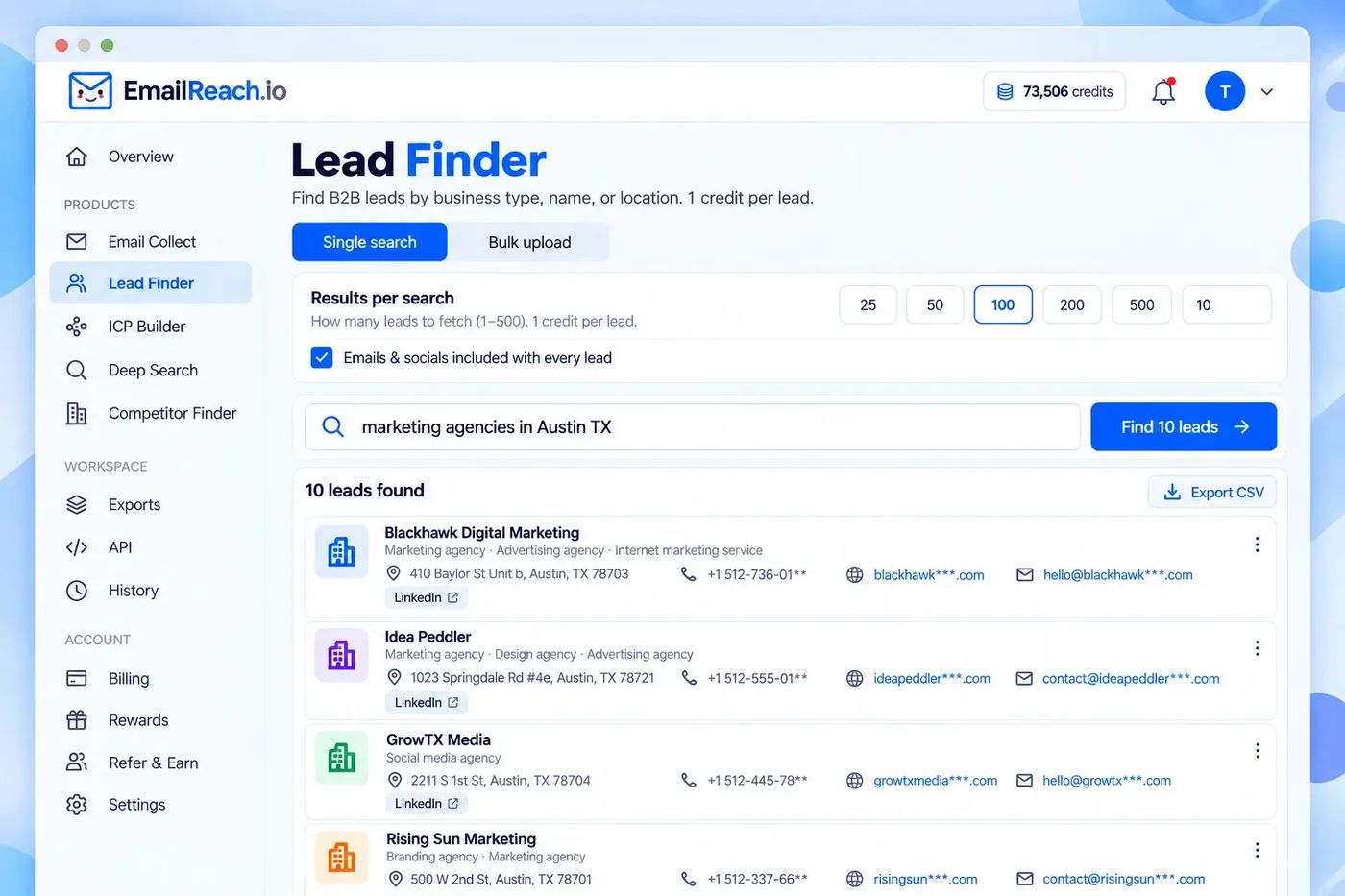
Finding companies was one tool. Finding a real email was another.
A marketing team can describe the customer they want and still not have an address that will land. Empty searches and bounced mail both cost money.
Why it was hard
A list of companies is not a list you can email. The address has to be real, the company has to match who you sell to, and a single search box will not cover a whole city. We put those jobs in one workspace and only charge when a result comes back.
- One website name can hide several inboxes. A spreadsheet of thousands is not something to click through
- “Companies like ours” is not a filter you can type into a directory
- A city search that stops at the first page misses most of the businesses
- An empty search should not cost a ticket, or people stop trying
What you get
- ✓Email Collect finds and checks the business emails on a website, one site or a whole spreadsheet
- ✓Lead Finder searches by type, name, or location and brings the contact with the company
- ✓The match tool takes a plain description of the customer and returns businesses that fit
- ✓Deep Search walks a city area by area, instead of one thin result
- ✓Competitor Finder starts from a website and returns businesses like it
- ✓Downloads, history, a data door other programs can use, and a browser add-on sit on the same account
Collect the emails
Drop a website name, or a spreadsheet of them. We find the business addresses and check them before they leave. Big runs stay in Downloads, so the file can be saved again later. History keeps what you already ran.
Open EmailReach →Find the right companies
Lead Finder is for a type, a name, or a place. The match tool is for when you can describe the customer but not name the companies. Deep Search covers a city piece by piece. Competitor Finder starts from one site and returns businesses like it.
See how tickets work →Take the list with you
The same login covers the app, a key another program can use to ask for the list, and a browser add-on for finding emails while you look around. The bigger plan can fill in extra details and send contacts to HubSpot or Salesforce. Starter is 10,000 tickets. Growth is 75,000. An empty result costs nothing. One ticket is spent only when we find something.
Browser add-on →One balance. You pay for a result, not a login.
Every tool spends the same tickets. A website's emails, a business lead, a customer match, or a competitor each cost 1 ticket, and only if we actually return something. New accounts start with 100 free tickets. No card. If you invite a friend, you both get 100 more, and a review or a post can add up to 500.